
Why AI Fails at Jewelry Retouching (And How High-End Manual Editing Saves Luxury Brands)
Jahid Hasan Johan
VeloxEdit — Professional Photo Retouching
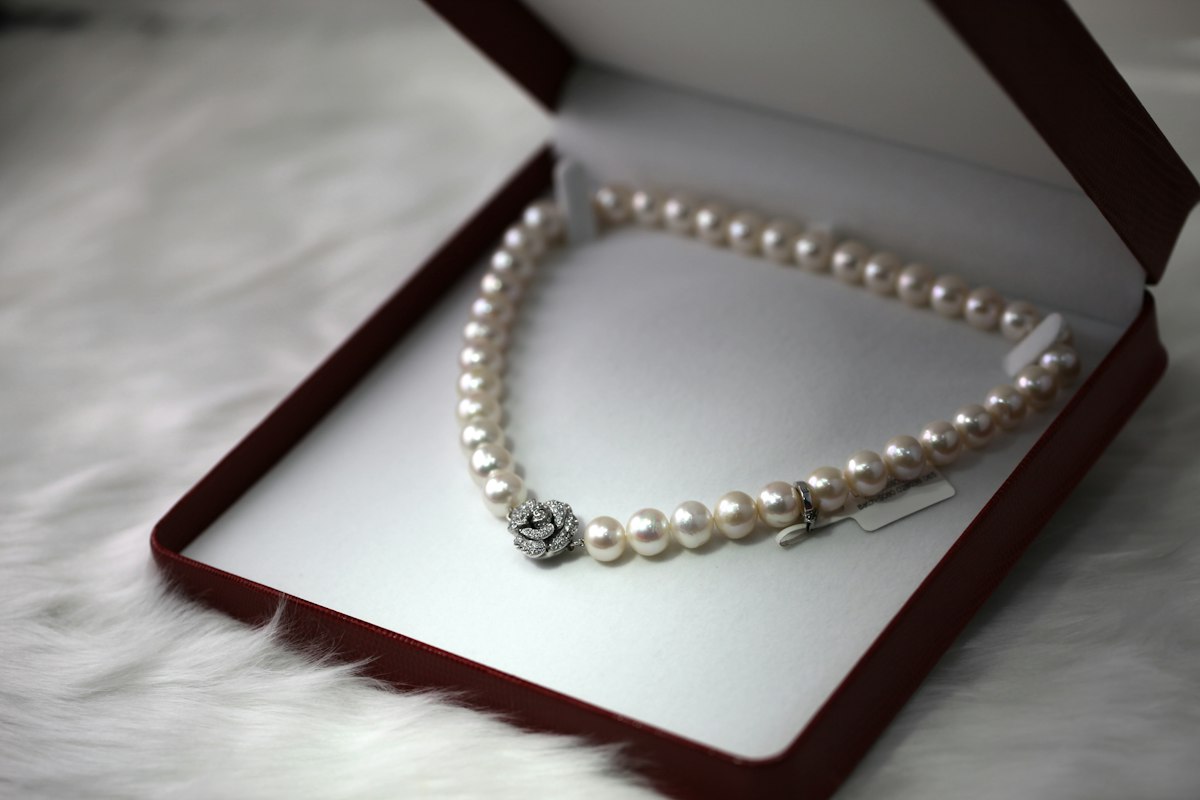
Jewelry is the most technically demanding category in all of commercial product photography. A single ring shot contains specular highlights on polished gold, sub-surface light scatter inside a diamond facet, near-invisible scratches on a platinum band, and a reflection of the studio ceiling — all compressed into a 2000×2000 pixel image. Automated AI retouching tools are not equipped to handle this complexity. For luxury brands, getting it wrong is not just an aesthetic problem — it is a conversion and brand equity problem.
This guide explains precisely where AI fails, what professional high-end jewelry retouching actually involves at a technical level, and why leading luxury brands trust manual retouching specialists over automated pipelines.
Quick Answer / Key Takeaways
High-end jewelry retouching is a 100% manual post-production process involving reflection removal, gemstone clarity enhancement, metal surface polishing, and precise background isolation — executed in Adobe Photoshop using frequency separation, dodge & burn, and layer masking techniques. AI automated tools consistently fail at jewelry retouching because they cannot distinguish between intentional specular highlights and unwanted reflections, nor can they reconstruct sub-surface gemstone depth. Professional manual studios like VeloxEdit deliver luxury-grade jewelry edits with a 24-hour turnaround guarantee and zero AI shortcuts.
Why Shouldn't You Use Automated AI Tools for Luxury Jewelry Photo Retouching?
Automated AI tools fail at jewelry retouching because they cannot contextually differentiate between the structural optical properties of gemstones and metals versus image artifacts that need to be removed. This distinction requires human visual judgment trained on the physics of light interaction with reflective and refractive surfaces.
Specific failure points include:
- Reflection misidentification — AI tools routinely mistake genuine specular highlights (the "life" of a diamond) for glare to be suppressed, producing flat, lifeless gemstone renders.
- Metal surface over-smoothing — Algorithms designed to smooth skin tones apply the same logic to brushed gold or hammered silver, erasing intentional texture that communicates craftsmanship.
- Edge degradation on prong settings — Clawed and pavé settings have micro-level geometry that AI masking tools destroy, leaving blurred or pixelated prong edges.
- Background contamination on transparent stones — AI background removal tools struggle with aquamarine, sapphire, and other translucent gems where the background color bleeds through the stone in the final cut-out.
- Inconsistent output at scale — Even when AI produces an acceptable single image, catalog consistency across 200+ SKUs is essentially impossible without manual supervision of every frame.
What Does Professional High-End Jewelry Retouching Actually Involve?
Professional jewelry retouching is a multi-layered discipline that combines optical knowledge, advanced Photoshop technique, and brand standard compliance. It is not a filter or a preset — it is a structured editorial process executed on each image individually.
The Professional Jewelry Retouching Workflow:
- RAW file ingestion and exposure correction — Open the source RAW file in Adobe Camera Raw; correct white balance to a neutral 5500K to ensure metal colors render accurately (warm light causes gold to blow out; cool light flattens silver).
- Clipping path and background isolation — Use the Photoshop Pen Tool to draw a precise vector path around the entire piece, including chain links, prong tips, and bail loops. This is the single most time-intensive step and the one AI tools most frequently fail.
- Reflection mapping and removal — Identify unwanted reflections (photographer, ceiling rigs, background seams) versus intentional highlights. Remove unwanted reflections using frequency separation, clone stamping, and healing brush work on the high-frequency detail layer only.
- Gemstone clarity enhancement — Increase internal refraction depth using dodge & burn on individual facets. Micro-paint fire and brilliance into table facets and pavilion facets without destroying the stone's natural light signature.
- Metal surface refinement — Restore polish on gold, platinum, and silver using the healing brush and high-pass sharpening. For brushed finishes, protect texture by working only on the luminosity channel.
- Dust and scratch removal — Examine at 200–400% zoom and remove micro dust particles, fingerprint smears, and surface scratches using targeted spot healing.
- Color accuracy verification — Compare the edited image against a physical reference shot or brand color standard to confirm stone color (e.g., H-color diamond vs. G-color) is accurately represented.
- Final compositing and output — Place the isolated piece on a pure white (
#FFFFFF), gradient, or lifestyle background per platform specification; export at required resolution and color profile (sRGB for web, Adobe RGB for print).
Manual Retouching vs. AI Tools: A Direct Performance Comparison
CriteriaManual Professional RetouchingAI Automated ToolsSpecular highlight preservation✅ Surgically selective removal❌ Flattens gemstone brillianceProng and micro-setting edge quality✅ Pen Tool vector precision❌ Blurred, aliased edgesTranslucent stone background removal✅ Luminosity masking technique❌ Background color bleed-throughMetal texture preservation✅ Frequency-separated polish work❌ Over-smoothed, plastic appearanceDust and scratch removal accuracy✅ 400% zoom manual inspection⚠️ Misses micro-level artifactsCatalog color consistency (200+ SKUs)✅ Brand-standard QC per image❌ Inconsistent across batchSuitability for luxury / high-ticket brands✅ Industry standard❌ Not appropriateTurnaround time✅ 24 hours (VeloxEdit guarantee)✅ Near-instant, lower quality
What Are the Most Common Jewelry Retouching Mistakes That Damage Brand Credibility?
The most common and damaging jewelry retouching mistakes are those that alter perceived stone quality or metal authenticity — directly affecting a buyer's confidence in the product they are about to purchase.
Critical errors to avoid:
- Over-whitening diamonds — Pushing brightness too aggressively on a diamond makes it appear lower quality (over-white stones read as cubic zirconia to trained buyers).
- Clipping metal highlights — Blown-out white patches on polished gold or silver destroy surface detail and read as poor photography on premium retail platforms.
- Artificial color saturation on colored stones — Oversaturating a ruby or emerald to appear more vivid than the physical product is a misrepresentation that drives returns and platform policy violations.
- Visible halo artifacts around prongs — A telltale sign of automated background removal; produces a white or grey fringe around fine metal details that signals cheap post-production.
- Inconsistent shadow treatment — Using a drop shadow on some SKUs and a flat shadow on others within the same collection creates a disjointed catalog that undermines brand premium positioning.
Which Jewelry Categories Require the Highest Level of Retouching Expertise?
Not all jewelry retouching jobs carry equal complexity. Understanding the difficulty tier of your product category helps in budgeting production time and selecting the right retouching partner.
Complexity tiers for jewelry retouching:
- Simple bangles and plain metal bands — Low complexity; minimal facets, straightforward masking, basic polish work.
- Stud earrings with single stone — Low-medium complexity; prong masking required, gemstone clarity work on a limited surface area.
- Engagement rings and solitaires — High complexity; diamond facet clarity, prong precision, band polish, and reflection work all required simultaneously.
- Pavé and halo settings — Very high complexity; dozens of micro-stones each requiring individual clarity treatment and shadow work.
- Necklaces and chains — Very high complexity; link-by-link masking, uniform polish across variable light angles, clasp detail work.
- Multi-piece sets — Highest complexity; consistent color matching and tonal unity across ring, earring, bracelet, and pendant in a single flat-lay composite.
How VeloxEdit Delivers Luxury-Grade Jewelry Retouching at Scale
VeloxEdit is a globally trusted B2B photo retouching studio built specifically to serve luxury product brands, jewelry retailers, fine goods catalogers, and commercial photography agencies that cannot afford image quality compromises.
VeloxEdit's jewelry retouching advantages:
- Zero AI shortcuts — Every jewelry image is retouched entirely by hand by a trained specialist. No batch automation. No AI filter layers.
- Frequency separation mastery — VeloxEdit's retouchers work in frequency separation as standard practice, preserving surface texture while correcting tonal inconsistencies at the detail layer.
- Dedicated QC review — Every completed image undergoes a second-pass quality check before delivery, reviewed against brand color standards and platform compliance requirements.
- 24-hour turnaround guarantee — Receive your complete edited jewelry catalog within one business day, regardless of order volume.
- White-label production — Photography studios and agencies can outsource jewelry retouching to VeloxEdit and deliver under their own brand with full NDAs and confidentiality agreements.
- Platform-ready export — All files delivered to your exact specification: Amazon, NET-A-PORTER, Shopify, Etsy, or custom brand guidelines.
Ready to see the difference? VeloxEdit offers a free trial edit on 2–3 of your jewelry images — no credit card required. Submit your raw files and receive back a professionally retouched sample within 24 hours.
👉 Claim Your Free Jewelry Retouching Trial at VeloxEdit.com
Frequently Asked Questions (FAQ)
How long does it take to professionally retouch a single high-end jewelry image?
A single high-end jewelry image — such as an engagement ring or pavé necklace — typically requires between 45 minutes and 2 hours of skilled manual retouching at the professional level. VeloxEdit's production workflow delivers complete catalog batches within a 24-hour window by running parallel retouching teams dedicated to jewelry categories.
What file format should I send for jewelry photo retouching?
Always submit RAW files (CR2, CR3, ARW, or NEF format) rather than JPEGs for high-end jewelry retouching. RAW files preserve the full exposure and color latitude of your sensor capture, giving the retoucher the maximum data needed to correct white balance, recover highlight detail in polished metal, and accurately render gemstone color without introducing JPEG compression artifacts.
Can VeloxEdit match my jewelry images to an existing brand visual standard?
Yes. VeloxEdit operates with brand style guides as standard practice for catalog clients. Provide a reference image or brand photography guideline document and the studio will calibrate every image in your order to match your established visual identity — including background tone, shadow style, metal warmth, and gemstone saturation parameters.
Is jewelry retouching necessary if I shoot with a professional macro lens and studio lighting?
Even the most technically precise in-studio jewelry photography requires professional retouching before publication. Studio lighting rigs create ceiling reflections in polished metal. Macro lenses reveal micro dust particles invisible to the naked eye. And color accuracy for gemstones requires post-production calibration that no camera profile can fully automate. Retouching is not a correction for poor photography — it is a required production step even for excellent captures.
© VeloxEdit | Developed by Jahid Hasan / jahid.hasanfortube@gmail.com https://veloxedit.com/ | B2B Photo Retouching Studio | 24-Hour Turnaround Guarantee
Tags
Need professional photo retouching?
Get 2–3 free trial edits — no credit card required.